Choosing the right Power Strip is a practical business decision, not just an outlet-count exercise. A strip beneath a crowded desk may serve monitors and chargers; a workshop bench may need a different rating and tougher construction. The wrong choice can invite overload, clutter, and downtime. Small details matter.
The U.S. Consumer Product Safety Commission’s publication Extension Cords: Use and Care warns that extension cords are associated with about 4,000 residential fires each year. That figure concerns extension cords, not power strips, so it should not be treated as a strip-specific risk estimate. Still, it highlights why electrical load and product condition deserve attention. UL consumer safety expert John Drengenberg’s guidance is useful here: match electrical products to their intended use, and do not overload them. Check the nameplate, not the packaging alone.
A sound selection starts with a simple inventory: list each device, its wattage, and where it will be used. Then check the strip’s total rating, cord length, grounding, surge protection needs, and any workplace-specific requirements. For example, a printer and two displays may share a rated strip; a heater should not be casually added. That distinction is easy to miss. Look for recognized certification, sturdy plugs, clear ratings, and a resettable breaker where appropriate. Replace damaged units. Avoid daisy-chaining. These steps cannot remove every risk, and labels can be confusing. When loads or installation needs are unclear, ask a qualified electrician before buying.
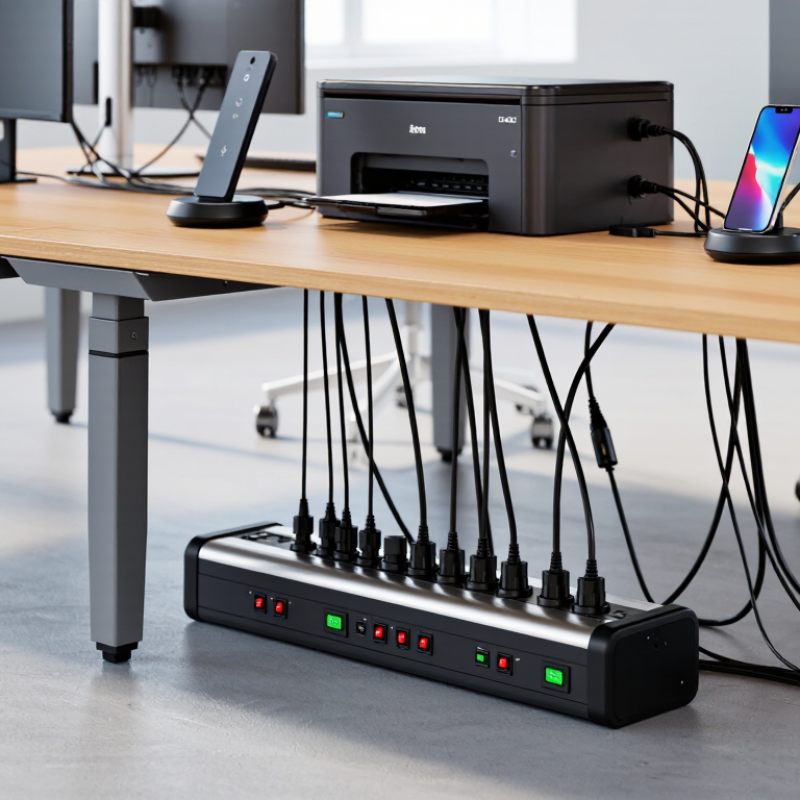
Assess Your Business’s Electrical Load and Connected Equipment
Before buying a power strip, list every device that will connect to it. Read each nameplate for voltage, current, and wattage. Add the wattage figures, then compare the total with the strip’s marked maximum load. If a device lists amps rather than watts, multiply amps by volts. Small details matter.
Include equipment that cycles or starts with a surge, such as printers, pumps, and refrigerators. Space heaters and other high-wattage appliances may be better connected directly to a suitable wall outlet, following their instructions. A crowded desk can hide a mismatch. I would double-check the actual labels, not rely on memory or a device’s typical consumption.
The U.S. Bureau of Labor Statistics recorded 145 fatal workplace injuries involving exposure to electricity in 2022, in its Census of Fatal Occupational Injuries. That figure covers many hazards, not power strips alone, but it underscores why load checks deserve attention. OSHA guidance also treats flexible cords as temporary wiring, not a replacement for permanent wiring. Avoid daisy-chaining strips, and select a grounded model rated for the connected load. If several high-demand devices share one outlet, have a qualified electrician assess the circuit. It is easy to overlook that part.
How to Choose the Right Power Strip for Your Business
Assess your electrical load and connected equipment before choosing a power strip.
These are illustrative load estimates; check each device’s nameplate for its actual wattage. The 1,440 W line is 80% of a 120 V, 15 A circuit’s 1,800 W nominal capacity and is a planning guide for continuous loads, not a substitute for equipment ratings or local electrical requirements. Account for peak loads and other devices sharing the circuit.
Match Outlet Types, Spacing, and Cord Length to Your Workspace
For a power strip to fit a workspace, start with the equipment, not the outlet count. Map each plug before buying: bulky laptop adapters can block neighboring sockets, while grounded three-prong plugs need matching outlets. In a shared office, choose a layout with enough spacing for chargers and monitor power bricks. A strip with widely spaced sockets can be more useful than one with many tightly packed outlets. Check its rated capacity and your equipment’s combined load; a strip adds outlets, not electrical capacity. Keep it accessible, not buried behind a cabinet.
Cord length matters just as much. Measure the route from the wall outlet to the desk, including turns around furniture, then allow a little slack without leaving loops across a walkway. A cord that is too short pulls against plugs; an overly long one invites tangles. ESFI reports about 3,300 residential fires annually involving extension cords, a reminder to treat cord placement and condition seriously. NFPA’s Electrical Fires report estimated an average of 32,620 home structure fires per year involving electrical failure or malfunction from 2015 to 2019; that figure is not specific to power strips, but it underscores the value of careful setup. Don’t daisy-chain strips. Check the label, inspect the cord, and rethink the layout if the strip feels strained.
Compare Surge Protection Ratings and Electrical Safety Features
A power strip for a busy office needs more than extra outlets. Compare surge protection by checking independent safety certification and the listed voltage protection rating, or VPR. A lower VPR generally means less voltage passes through during a test, but compare products with the same electrical rating. Joule figures can help, yet they do not tell the whole story. Look for clear ratings, a grounded plug, overload protection, and a cord suited to the equipment’s current draw. Keep printers and heaters off shared strips when their loads could exceed the strip’s rating. Small detail, big risk.
NFPA’s Home Electrical Fires report estimates that U.S. fire departments responded to an average of 46,700 home structure fires involving electrical failure or malfunction each year from 2015 to 2019. The figure is not office-specific, but it shows why protection deserves attention. A surge protector is not a substitute for safe wiring or a correctly rated circuit. Check that the strip is listed to UL 1449, inspect its rating label, and replace it if the casing, plug, or cord is damaged. I would not choose by the biggest joule number alone; the label can be confusing. Match the strip’s amperage and wattage limits to the devices plugged into it, and ask a qualified electrician about high-demand setups.
Choose Durable Materials and Useful Control Options
A business power strip should survive daily handling, not just look sturdy on a shelf. Check the housing for impact resistance and flame-retardant material, then confirm its electrical rating and independent safety certification. A thick cord can resist scuffs, but it does not make an overloaded strip safe. Match the strip’s rated capacity to the equipment connected, and keep it clear of damp areas, heat sources, and walkways. NFPA’s analysis of U.S. home fires from 2015 to 2019 found an average of 32,620 reported home structure fires annually involving electrical distribution or lighting equipment. That figure is not specific to power strips or workplaces, but it underscores why sound electrical choices matter. Heat matters.
Control options should fit the workday. Individual switches help staff shut off idle devices without crawling behind a desk; a clearly marked reset button makes an overload easier to spot. For a repair bench, widely spaced outlets can accommodate bulky adapters. In a shared office, a master switch may be simpler. There is no perfect strip for every setup. I’d still check how staff actually use the outlets; specifications alone miss that. Avoid connecting strips in series, and never treat a surge-protection indicator as proof that the unit remains effective. Check the manufacturer’s inspection guidance, replace damaged cords or housings, and choose a model with clear instructions and a rating suited to the load.
Check Compliance, Installation Requirements, and Maintenance Needs
How to Choose the Right Power Strip for Your Business?
Check Compliance, Installation Requirements, and Maintenance Needs
Before buying, check that the power strip is certified by a recognized testing organization and rated for your intended use. Compare its voltage, current, and total load limits with the equipment you plan to connect. A row of computers, monitors, and chargers can draw more power than expected. Check workplace and local electrical requirements, too. Paperwork matters.
Installation affects safety and reliability. Keep strips away from sinks, heaters, doorways, and areas where carts may catch their cords. Use only the cord length and mounting method permitted by the manufacturer. Never connect one power strip to another. If equipment needs permanent wiring, or the outlet location is unsuitable, ask a qualified electrician to assess the setup. A neat cable layout helps, but it is easy to overlook during a busy move.
Tips: Assign someone to inspect strips regularly. Look for cracked housings, loose plugs, heat, discoloration, or damaged cords. Unplug a strip before cleaning it, and follow its care instructions. Replace damaged units rather than patching them. Keep a simple record of inspection dates and issues. Small checks help spot wear early, though busy teams may miss them without a reminder.
Conclusion
Choosing the right Power Strip for your business starts with understanding the total electrical load and the equipment that will be connected. Check each device’s power requirements and select a strip rated to handle the combined load safely. Consider the layout of your workspace, too: the number and type of outlets, spacing for larger plugs, and cord length can all affect convenience and help keep cables organized.
Compare surge protection ratings and built-in safety features, then look for durable materials and practical controls, such as an accessible switch or clear indicator lights. Before installation, confirm that the Power Strip is suitable for its intended location and use, and review any applicable safety requirements. Regularly inspect it for wear, damage, or loose connections, and replace it when needed. A well-matched, properly maintained strip can support reliable day-to-day operations while helping protect connected equipment.